Adventures in Dead by Daylight (July 15th, 2016) - Part 1

So why do I want to hack Dead by Daylight? This game is awesome. It is probably the first game I've played in a long time that I've truly enjoyed and can play every day. The last game I remember doing this with (other than WoW in spurts here and there) is Skyrim. That and it has the other benefit of being an online multiplayer and has an anti-hack system that doesn't allow basic debugging via x32_dbg. I've never really hacked a game before on my own, and since the game isn't as documented as say World of Warcraft it'll genuinely be a challenge to reverse all aspects on my own.
Why this game?
- Love it. So much fun.
- Multiplayer online.
- A challenge greater than my last game - WoW - which doesn't have a dedicated community providing updated offsets.
- Debugging via x32_dbg isn't straightforward and using CheatEngine doesn't seem to work. This is an opportunity to build my own tools from the ground up.
- Has a dedicated anti-hack.
- Might be able to incorporate some type of drawing to show visually where people are relative to your position
Whenever I had been hacking with WoW in the past ( https://github.com/christiancoleman/RoobieConsole and https://github.com/christiancoleman/FlyGui ) there was always a helpful forum of people over at Ownedcore that routinely gathers the offsets of important constructs in each patch.
						Camera


						=================


						CameraStruct = DA5D58


						CameraOffset = 7610


						CameraFov = 38
For example, http://www.ownedcore.com/forums/world-of-warcraft/world-of-warcraft-bots-programs/wow-memory-editing/556501-wow-6-2-4-21742-release-info-dump-thread.html has offsets for Warlords of Draenor (*technically labeled Legion in the Battle.net WoW version 6.2.4.21742 because of how close that release is), and in this thread you can find things like the CameraStruct is located at the memory pointed to at 0xDA5D58. This means WoW.exe (or the base of the process) + 0xDA5D58 holds the pointer to the camerastructure.
In this structure there is an offset of 7610 which actually holds the currently active camera. From here you can at +0x38 bytes you can find the float that stores the FOV which has been 1.570796371 since release I believe. So if you ever want to change the FOV just download CheatEngine and search for that exact float value and change it. There is probably like 2000 of them, but hey it's better then depending on an updated program if you're super hell bent on changing the FOV. Of course, don't do this if you value your account. I've been doing stuff like this on and off for awhile with my main, but I half suspect one day I'll wake up one day to a banned account. That day will suck... Hope it never happens.
Explanation of getting FOV (in summary)
- Use latest offset thread found at Ownedcore.com
- Match the bottom-left version number at the pre-login screen (before putting in your credentials)
- Add WoW.exe + the camerastruct offset by adding an address manually and marking it as a pointer with this value at the root (the bottom)
- Assuming the camera offset hasn't changed add one more level and place 7610 in it
- Finally add one more tier with a 38 value (assuming this never changes either) and set the data type as float
- If you did it correctly, the value should be 1.57*something - just change it either lower or higher depending on preference
Anyways...
It seems that the best hack for this game would be having ESP (being able to see the location of players) that is either drawn on top of the game or beside it (most likely this option but we'll go into that more later). There is no out-of-box way to open a game and walk around in it. Even if you could do this the overall object of this hack to find the object list of players along with their locations in the game. With only one player in the game it would be hard to determine if you are actually in the players object list or just looking at one of the many places the character is described. SO let's get two copies of the game and see if we can find a place in memory where the health of one character and the health of another is very close in memory. So first things first let's get two copies of the game.
First problem: Need to run two copies of the game
First off we need to run the game and join the same game together. One easy to do this would be to just use my laptop... which you know what - fuck it. I was going to try and use sandboxie to run it on the same PC but I have a decent laptop and this step could take longer then I have patience for. Maybe use this if I change my mind: Using https://www.unityhacks.com/threads/guide-how-to-idle-10-accs-on-one-pc.6188/
This reminds me. I need another monitor for my second desktop computadora.
Second problem: Buying two copies of the game :( especially with knowing one or both of them will be banned
This game is $20. Losing both would suck. Then again I love it so if I get banned on one I'll be careful on the other and hope I don't get banned. Either way I think trying to hack is just as fun as playing. It should be worth it.
First up: Let's try searching using Cheat Engine. I've already done this but it wasn't successful. I'll try a little longer than 10 minutes this time.
SO, Cheat Engine is great. It can Read and WriteProcessMemory and it comes in a great full featured package. The downside is most games look for it. If you open it up some games will close right away saying third-party software is active.
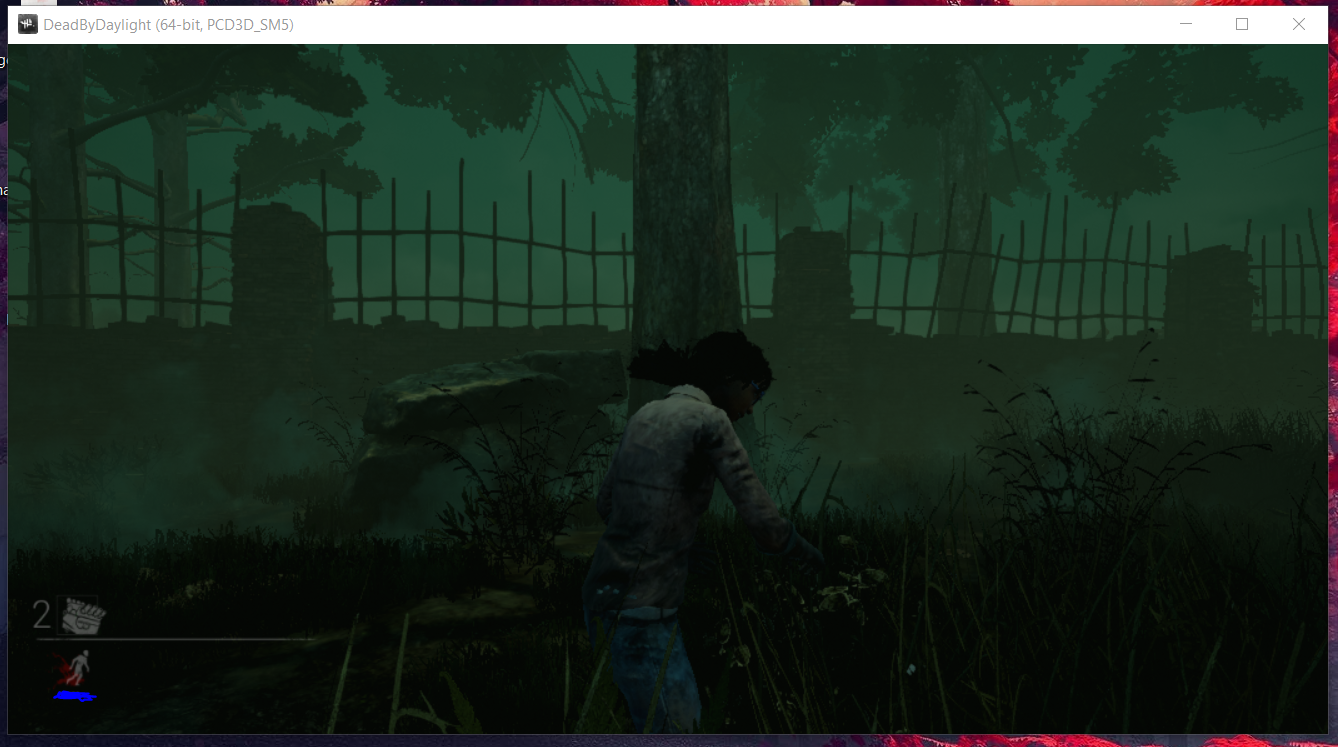
So the program is 64 bit. Meaning we use the 64 bit Cheat Engine. Here are my notes:
Run As non Admin
- Searched for 0 and found nothing
- Searched for 1 and found nothing
- Got disconnected once right after loading Cheat Engine once. Not sure if this is because of loading it once.
- Didn't happen again
- Exe name looks like DeadByDaylight-Win64-Shipping.exe
- When adding this address manually (the exe name) we see now base address at all but just ???
Run as Admin
- Thought: maybe this will allow us to see this?
- Same results
Deviation / customization:
Let's try running Cheat Engine as a higher level device driver.

According to Cheat Engine wiki this is because I have hyper-v enabled. Let's disable that.
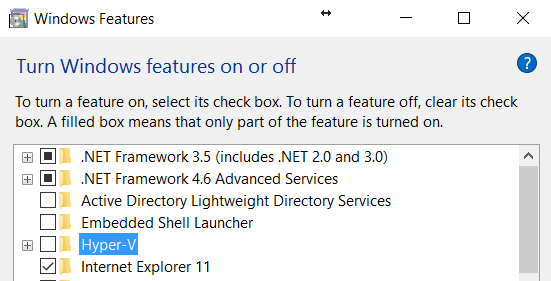
^ in Programs and Features aka the place you uninstall shit
Before rebooting I noticed that the Task Manager is incapable of killing the process. Instead it prompts you in game if you want to quite. ALSO, Alt+F4 didn't work. I've seen something like this in one other game - Blade & Soul - and that game is running in Kernel mode so I'm not sure if this inability to Alt+F4 or close in Task Manager is a result of that.
Summary: It doesn't appear the game allows Cheat Engine to view it (without changing Cheat Engine's settings from defaults)
Noticed this:
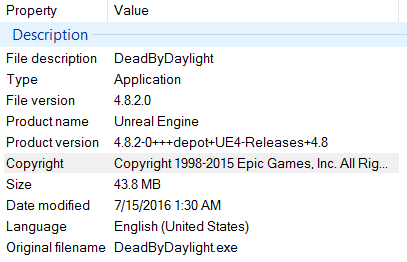
Thoughts:
- Made in Unreal Engine 4.8.2-0
- Could possibly create a C++ list in Unreal Engine